Best Tempered Glass Protector for iPad 9.7/10.2/10.9
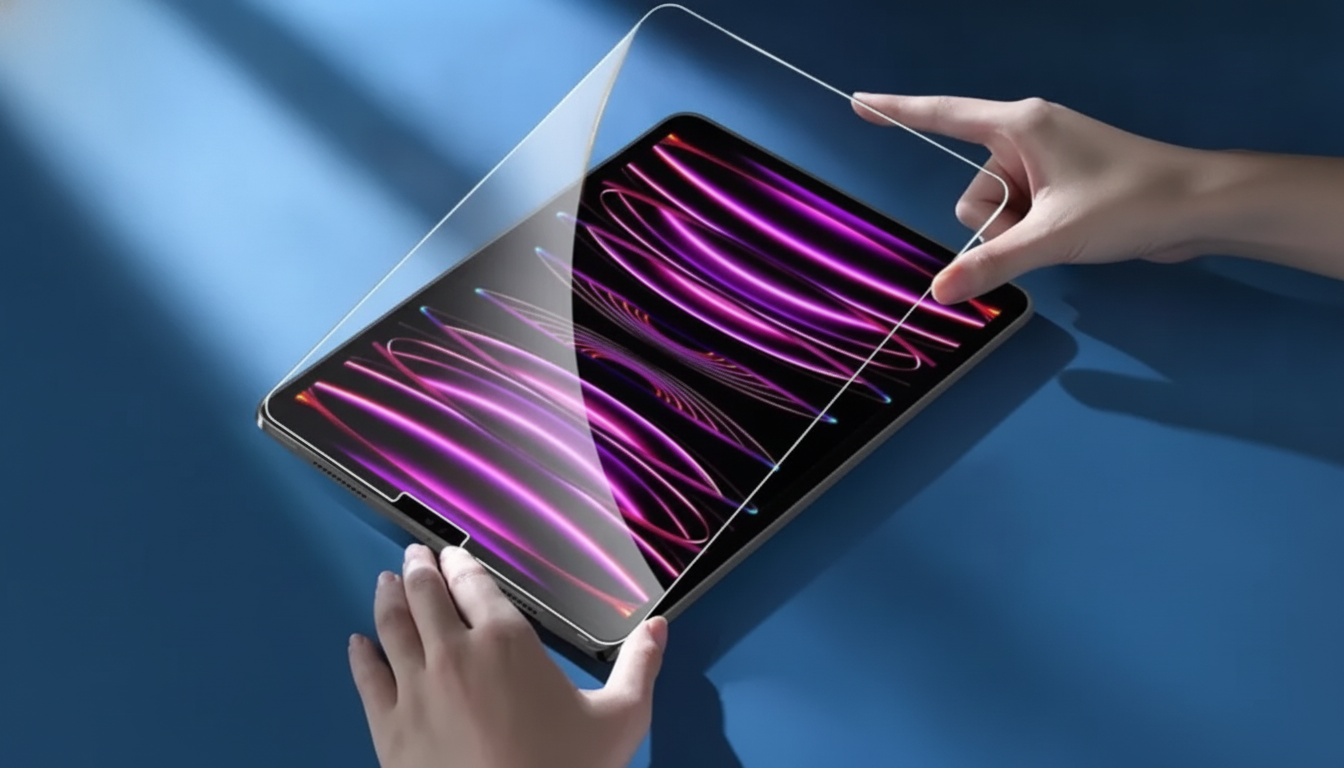
Premium Tempered Glass Screen Protector for Apple iPad 10.2/9.7/10.9 Inch
A tempered glass screen protector helps keep an iPad display clear and protected from everyday scratches, scuffs, and minor impacts while maintaining touch responsiveness. The right fit and a careful install make a noticeable difference—especially for iPads that travel in backpacks, get used at school, or bounce between family members. Below is a practical guide to matching sizes, spotting truly “premium” features, installing with fewer bubbles, and knowing when it’s time to replace a worn protector.
Why a tempered glass protector makes sense for an iPad
iPad screens are built to handle daily use, but they’re still exposed to grit, keys, and accidental bumps that can leave permanent marks. A tempered glass protector adds a hard, sacrificial layer designed to take abrasion and small impacts before the original display does.
- Adds a hard surface that absorbs day-to-day scuffs and minor impacts.
- Helps reduce visible scratches caused by sand, dust, and items in a bag.
- Keeps a smooth glide for tapping, swiping, and Apple Pencil-style writing compared with many plastic films.
- Makes cleanup easier by keeping smudges and micro-scratches off the original glass.
- Feels more confidence-inspiring when carrying an iPad without a folio cover.
Compatibility: matching the protector to 9.7, 10.2, and 10.9-inch iPads
Screen size is the first checkpoint, but it’s not the only one. Different generations can have slightly different bezels, camera placements, and button layouts, which affects how a protector sits and whether it interferes with accessories.
- Confirm the iPad’s screen size (9.7, 10.2, or 10.9 inches) and generation before ordering.
- If the iPad has a Home button (common on many 9.7-inch and 10.2-inch models), look for clean alignment around the button area for comfortable use.
- On newer designs (many 10.9-inch models), verify camera/sensor cutouts and edge alignment for FaceTime calls and selfies.
- Case-friendly edges (slightly inset from the rim) help reduce lifting with snug cases.
- For the most reliable match, check the model number in Settings and compare it to Apple’s list: Apple Support: Identify your iPad model.
Quick fit checklist
| Check | What to look for | Why it matters |
|---|---|---|
| Screen size | 9.7 / 10.2 / 10.9-inch | The glass must match the display footprint to avoid edge gaps. |
| Front camera position | Cutout aligns with camera | Prevents blocked camera and avoids awkward framing in calls. |
| Home button (if present) | Clean ring/clearance | Avoids pressing issues and keeps use comfortable. |
| Case clearance | Slightly inset edges | Reduces corner lifting and bubbling with snug cases. |
| Model number | Matches Apple’s model list | The most reliable way to confirm generation-specific fit. |
What “premium” should mean in tempered glass
Not all tempered glass feels the same once it’s on your iPad. “Premium” is less about a buzzword and more about how the glass behaves during daily use—clarity, touch accuracy, and how well it stays adhered over time.
- Hardness and scratch resistance: helps resist fine scratches from grit and frequent contact.
- Clarity: high transparency keeps text crisp and colors natural, without haze.
- Touch sensitivity: gestures should register immediately, without needing extra pressure.
- Oleophobic coating: helps reduce fingerprints and makes smudges easier to wipe away.
- Edge finish: rounded edges feel better in hand and are less likely to snag or chip.
- Consistent adhesive layer: even adhesion helps prevent rainbowing, dead zones, and early lifting.
Installing a tempered glass protector with fewer bubbles
Using a protector with Apple Pencil-style writing and drawing
- A smooth glass surface helps preserve predictable strokes and steady line movement.
- Regular wiping reduces tiny particles that can increase tip wear over time.
- If skipping happens, it’s often residue or dust—re-clean with a microfiber cloth.
- For heavy note-takers, keeping spare tips organized helps avoid downtime; a small accessory like the Compact Storage Box for Apple Pencil Tips can keep replacements easy to find.
- Use a lighter touch for better control; the protector is there for protection, not for pressure.
Care, cleaning, and replacement signs
Tempered glass is low maintenance, but coatings and edges last longer with the right cleaning habits. For general guidance on safe cleaning methods, Apple’s recommendations are a helpful reference: Apple Support: How to clean Apple products.
Product pick: a budget-friendly glass option for multiple iPad sizes
If you want simple, everyday protection without overthinking the setup, the Premium Tempered Glass Screen Protector for Apple iPad 10.2/9.7/10.9 Inch is an affordable option for scratch resistance and clear viewing across popular iPad sizes. It’s a practical fit for commuting, school bags, shared devices, and general daily handling.
For a tidy on-the-go setup, pairing iPad protection with a reliable charging accessory can help reduce last-minute scrambles. If you also charge an iPhone, consider the USB Type C to Lightning Fast Charging Cable for Apple iPhone 15/14/13/12 to keep a bag or desk kit ready.
FAQ
How can the iPad model be confirmed before buying a screen protector?
Open Settings, go to General > About, and note the model number. Match that number to Apple’s iPad identification list, then confirm the screen size and the camera/button layout for the correct fit.
Do tempered glass protectors reduce touch sensitivity or Apple Pencil responsiveness?
A well-fitted glass protector typically keeps touch and stylus input responsive. Most problems come from trapped dust, uneven adhesion, or a lower-quality coating rather than the presence of glass.
What causes bubbles that won’t disappear after installation?
Stubborn bubbles are usually caused by trapped dust or a tiny hair. Lifting the nearest edge slightly, removing the particle with a sticker, and reapplying the edge usually fixes the issue.






Leave a comment