Comfortable Rechargeable Ergonomic RGB Wireless Mouse
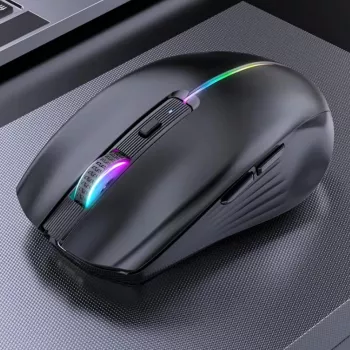
Rechargeable Ergonomic Wireless Mouse with RGB Backlight
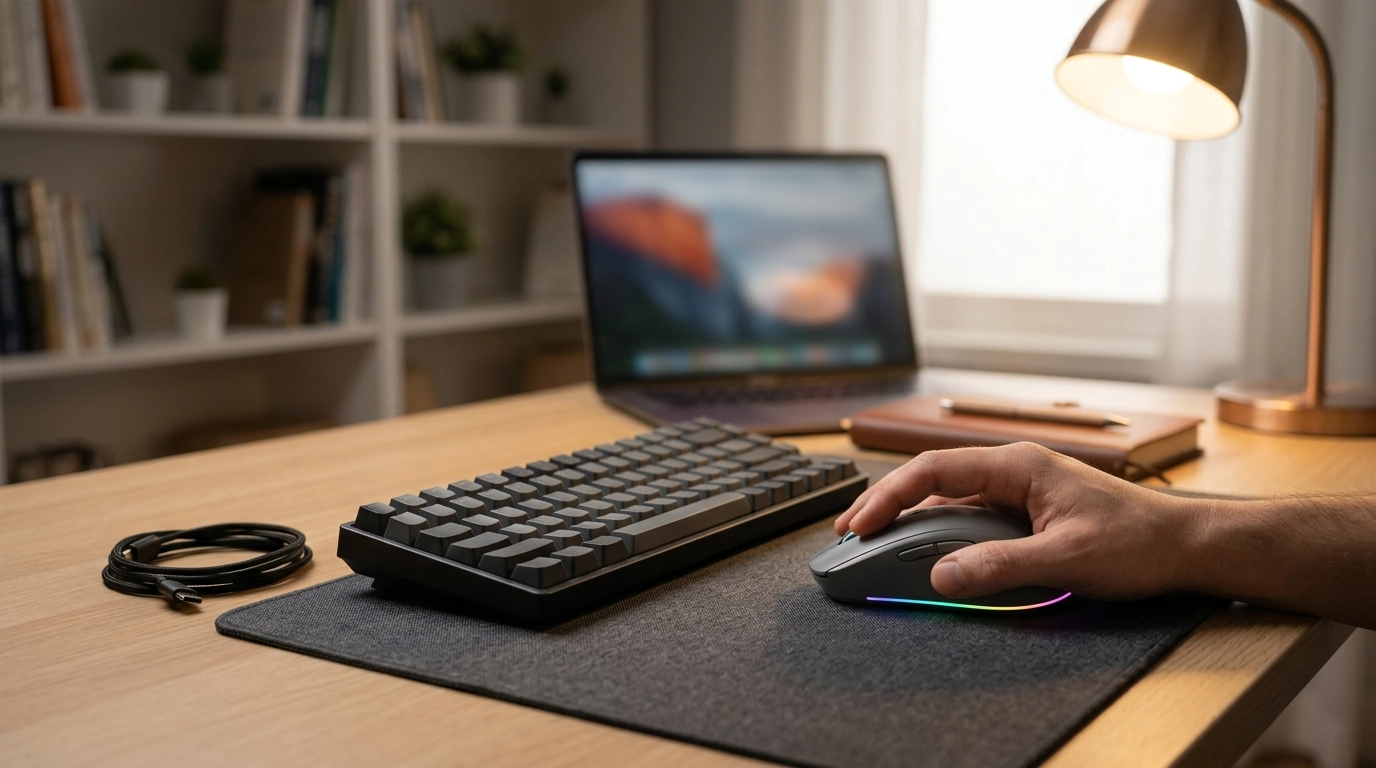
A comfortable mouse can make long work sessions and late-night gaming feel noticeably easier on the hand and wrist. This rechargeable ergonomic wireless mouse pairs a contoured shape with cable-free use and RGB lighting, aiming to balance everyday comfort, desk aesthetics, and simple portability at a budget-friendly price.
If you’re refreshing a home office, building a student study setup, or just trying to make your workspace feel less cramped, the Rechargeable Ergonomic Wireless Mouse with RGB Backlight is designed to be an easy upgrade: fewer cables, fewer battery runs, and a shape that encourages a more natural hand position.
Quick overview
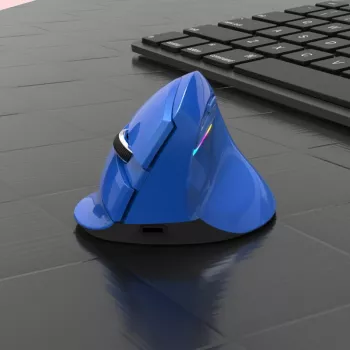
- Ergonomic shape designed to support a more natural hand position during extended use
- Wireless convenience to reduce cable drag and desk clutter
- Rechargeable battery helps cut down on disposable battery swaps
- RGB backlight adds a subtle desk glow for work or play
- Best fit for home offices, students, and casual gaming setups that value comfort and style
Design and comfort features
A good ergonomic mouse doesn’t have to be complicated—it just needs to help the hand settle into a steadier, less “pinched” grip. A contoured shell can feel more supportive than a smaller, flatter mouse, especially when you’re bouncing between email, spreadsheets, and scrolling-heavy tasks.
To get the most from an ergonomic shape, try pairing it with a neutral wrist posture (not bent up or down) and a desk height that keeps your forearms roughly parallel to the floor. For many setups, the most underrated comfort trick is simply keeping the mouse close to the keyboard. Reaching outward can quietly add shoulder tension that builds up over hours.
For broader workstation ergonomics guidance, OSHA’s workstation recommendations are a helpful reference: OSHA – Computer Workstations eTool (Ergonomics).
Wireless performance for work and casual gaming
Wireless use is about more than aesthetics. Without a cable dragging across your desk, it’s easier to reposition the mouse quickly—useful on smaller desks, dorm setups, or shared workspaces where the mouse may get moved aside often.
For smooth, reliable tracking, your surface matters. Consistent surfaces make cursor movement feel steadier, while a mouse pad can help reduce sensor “skips,” especially if your desk is glossy or heavily textured. In casual gaming, comfort and consistent glide often matter as much as peak DPI numbers; a mouse that feels stable in your hand can help you stay accurate longer, even in relaxed, non-competitive play.
If your environment has lots of wireless devices (laptops, tablets, smart accessories), responsiveness can improve when the receiver or connection point isn’t blocked behind a metal monitor stand or tucked into a hard-to-reach rear port. A clearer line of sight tends to help wireless signals stay consistent.
Rechargeable battery and daily convenience
A rechargeable mouse can be a simple way to reduce ongoing costs and waste from single-use batteries. Instead of keeping spares in a drawer, you can top up during natural breaks—between classes, while you’re in a meeting, or when you step away for lunch.
A practical routine is to do one full charge (or a solid top-up) before your next long workday, then adjust from there based on your actual usage. If your mouse includes multiple lighting modes, battery life is often better when you lower brightness, choose a calmer effect, or switch lighting off when you don’t need it.
To keep charging easy, consider dedicating a reliable cable to your desk or travel pouch. The USB Type C to Lightning Fast Charging Cable for Apple iPhone 15/14/13/12 is a convenient “leave-it-at-the-desk” option for keeping a consistent charging spot for your everyday devices.
RGB backlight: practical and aesthetic benefits
At-a-glance details
| What matters | Why it matters | What to look for / do |
|---|---|---|
| Ergonomic shape | Supports a more relaxed hand position | Grip it with a neutral wrist; adjust desk height and keep the mouse close to the keyboard |
| Wireless setup | Cleaner desk and easier movement | Connect receiver/adapter as instructed; keep the connection point unobstructed |
| Rechargeable battery | Less waste and fewer battery purchases | Charge during breaks; consider reducing lighting brightness to extend runtime |
| RGB backlight | Visibility and desk ambiance | Pick a calmer mode for work; brighter effects for gaming or mood lighting |
| Surface tracking | Improves control and precision | Use a mouse pad for consistent glide and smoother cursor movement |
Setup tips and care
If you experience recurring tingling or numbness while using a mouse and keyboard, it may help to reassess posture, schedule breaks, and review prevention basics from a medical source like Mayo Clinic: Mayo Clinic – Carpal tunnel syndrome (overview and prevention basics).
Good pairings for a cleaner desk
- Small-item organization: The Compact Storage Box for Apple Pencil Tips is a simple way to keep tiny pieces from disappearing into drawers or backpacks.
- Travel-friendly protection: If you keep earbuds on the same desk, the Floral Luminous Silicone Case for Apple AirPods Pro helps protect them and keeps your setup looking intentional when everything shares one workspace.
FAQ
Is an ergonomic mouse helpful for long hours at a computer?
It can be, because a contoured shape may support a more neutral hand position and reduce the urge to “claw grip” a smaller mouse. Comfort still depends on overall setup—desk height, wrist posture, and taking short breaks throughout the day.
How can RGB lighting be used without draining the battery too quickly?
Use dimmer or steady modes when possible, and turn lighting off when you don’t need it. Charging during breaks also helps, since brighter and more dynamic effects typically consume more power.
What surface works best for a wireless mouse sensor?
A mouse pad or matte surface usually provides the most consistent tracking and smoother cursor control. Glossy or transparent surfaces can cause jitter, inconsistent movement, or occasional dropouts.








Leave a comment