Cleaner Desk Charging With a 3-in-1 Magnetic Stand
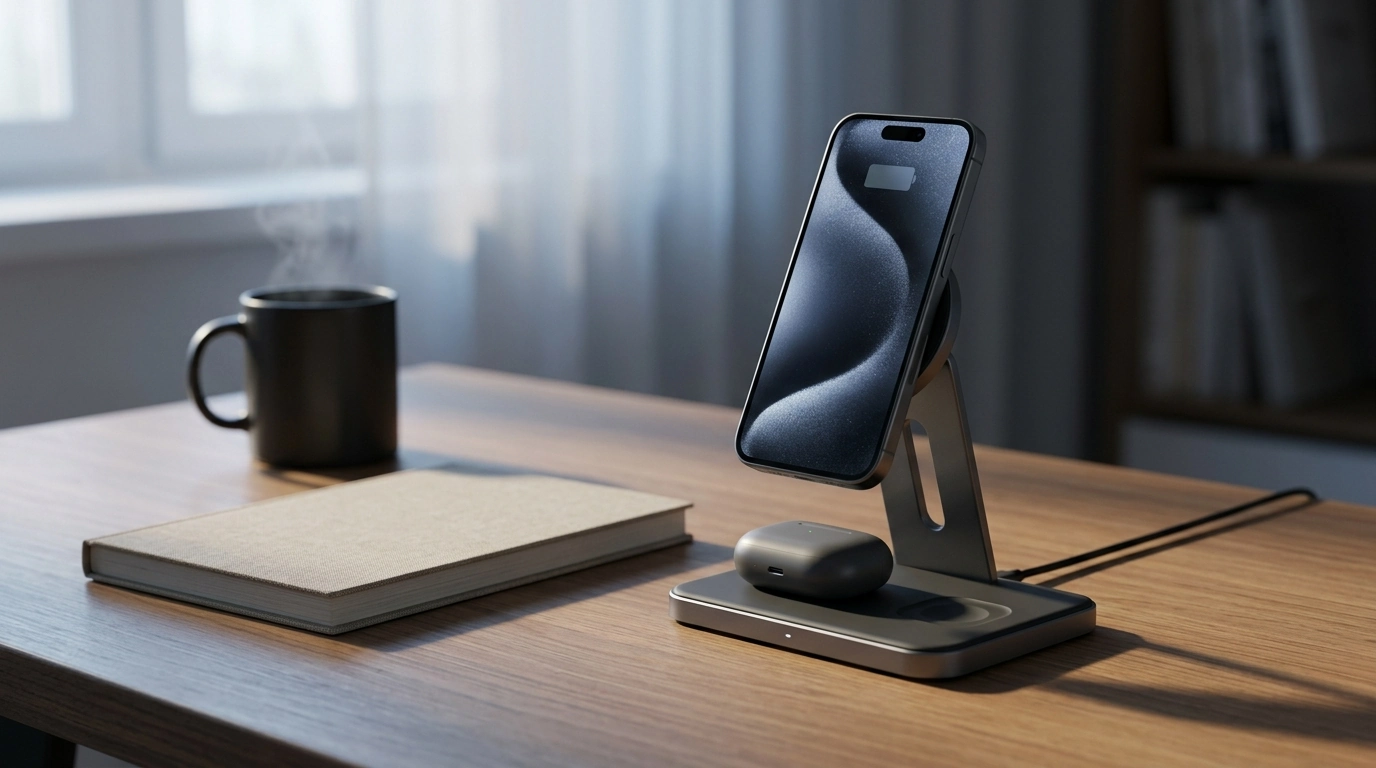
3-in-1 Magnetic Wireless Charger Stands: What They Do for a Cleaner Desk
A 3-in-1 magnetic wireless charger stand is built for people who want fewer cables and a more dependable place to charge daily essentials. Instead of juggling separate cords for an iPhone and AirPods, you get a single upright station that keeps your phone visible while topping up earbuds on a dedicated pad. The result is a cleaner nightstand or desk setup that’s easier to use consistently—especially when you’re charging every day. For more guidance, see MagSafe Charger 2 Pack: Magnetic Wireless Charge ….
Magnetic alignment (often associated with MagSafe-style placement) also helps reduce “missed charges” caused by the iPhone being slightly off-center on a flat pad. With a stand, you’re more likely to place the phone correctly on the first try, then leave it alone until morning. For further reading, see 3-in-1 Magnetic Wireless Charger Stand for iPhone Watch ….
What a 3-in-1 Magnetic Charger Stand Does
- Charges multiple devices from one station: typically an iPhone on a magnetic mount plus a second spot for AirPods. Some designs include a third charging area depending on layout.
- Keeps your iPhone angled for visibility: easier to glance at notifications, alarms, and supported iOS StandBy views than with a flat charging pad.
- Reduces wear on charging ports: less plugging and unplugging means less long-term strain on cables and connectors.
- Creates a simple routine: a consistent “drop spot” helps avoid waking up to a low-battery phone or earbuds.
Compatibility Checklist for iPhone and AirPods
Wireless charging is straightforward when the device, case, and charging surface all cooperate. Most frustrations come from magnetic alignment differences between iPhone models, or from AirPods cases sitting just slightly off the charging coil.
- Magnetic alignment: iPhone models with MagSafe (iPhone 12 and newer) tend to align most reliably. Older iPhones can still charge wirelessly, but they won’t “snap” into place without a compatible magnetic case or ring.
- AirPods support: AirPods must have a wireless charging case to work on Qi-style pads. Some cases require more precise placement than others.
- Case thickness and attachments: very thick cases, metal plates, pop sockets, and some wallet-style accessories can weaken charging or interfere with the magnetic hold.
- Two devices at once: when your phone and AirPods charge together, the wall adapter’s wattage matters for stability and speed.
Quick Compatibility Guide
| Device | What to check | Common fix if it won’t charge |
|---|---|---|
| iPhone 12–15 series | MagSafe alignment and case support | Use a MagSafe-compatible case; remove wallet/metal accessories |
| iPhone 11 and earlier | Wireless charging support; no native MagSafe magnet | Add a magnetic ring/case; ensure coil is centered |
| AirPods (wireless case) | Qi charging supported | Reposition case; remove thick case cover |
| AirPods (non-wireless case) | No Qi coil | Use a cable or upgrade to a wireless charging case |
Charging Performance and What Affects It
Wireless charging performance is a mix of power delivery, heat management, and alignment. A good stand helps most with alignment—especially for iPhone models designed for magnetic placement—but it can’t overcome an underpowered adapter or a case that blocks the coil.
- Power adapter quality matters: a dependable wall adapter with enough wattage helps keep charging stable when multiple devices are drawing power.
- Heat management is built in: warm rooms, thick cases, and charging two devices at once can increase heat. Devices may slow charging automatically to protect battery health.
- Alignment is everything: the magnetic mount improves coil-to-coil alignment for iPhone, but AirPods still often need careful placement on the pad.
- Overnight charging priorities: steady reliability matters more than peak speed for a nightstand setup—waking up fully charged is the goal.
For deeper background on the tech, Apple’s overview of magnetic alignment is a helpful reference: Apple Support: About MagSafe for iPhone. For the broader wireless standard used by many earbuds and accessories, see the Wireless Power Consortium’s Qi overview.
Desk and Nightstand Setup Tips
Everyday Use: Small Routines That Make It Effortless
Product Options In Stock
- 3-in-1 Magnetic Wireless Charger Stand for iPhone and AirPods ($34.51): a compact stand-style station that keeps the iPhone upright with magnetic alignment and provides a dedicated spot for AirPods charging.
- USB Type C to Lightning Fast Charging Cable for Apple iPhone 15/14/13/12 ($3.01): a practical extra cable for travel, the car, or backup charging when you don’t want to move your stand.
- Floral Luminous Silicone Case for Apple AirPods Pro ($4.47): a protective case option—if wireless charging becomes inconsistent, consider testing AirPods without the case to confirm thickness isn’t affecting alignment.
FAQ
Will a magnetic charger stand work if an iPhone is in a case?
Usually yes, as long as the case is MagSafe-compatible and not overly thick. If the magnetic hold feels weak or charging is inconsistent, remove wallet attachments, metal plates, and bulky accessories.
Why do AirPods sometimes not charge on a wireless stand?
AirPods cases can be sensitive to placement, so small shifts can stop charging. Reseat the case, confirm it’s a wireless-charging case, and avoid thick protective covers that increase the distance from the charging coil.
Is it safe to leave iPhone and AirPods charging overnight on a stand?
Modern iPhone and AirPods models manage charging to reduce overcharging and battery stress. For best results, keep the stand ventilated, use a reputable power adapter, and avoid covering devices to limit heat buildup.








Leave a comment