Apple Pencil Stylus Cover Guide: Grip, Fit & Care
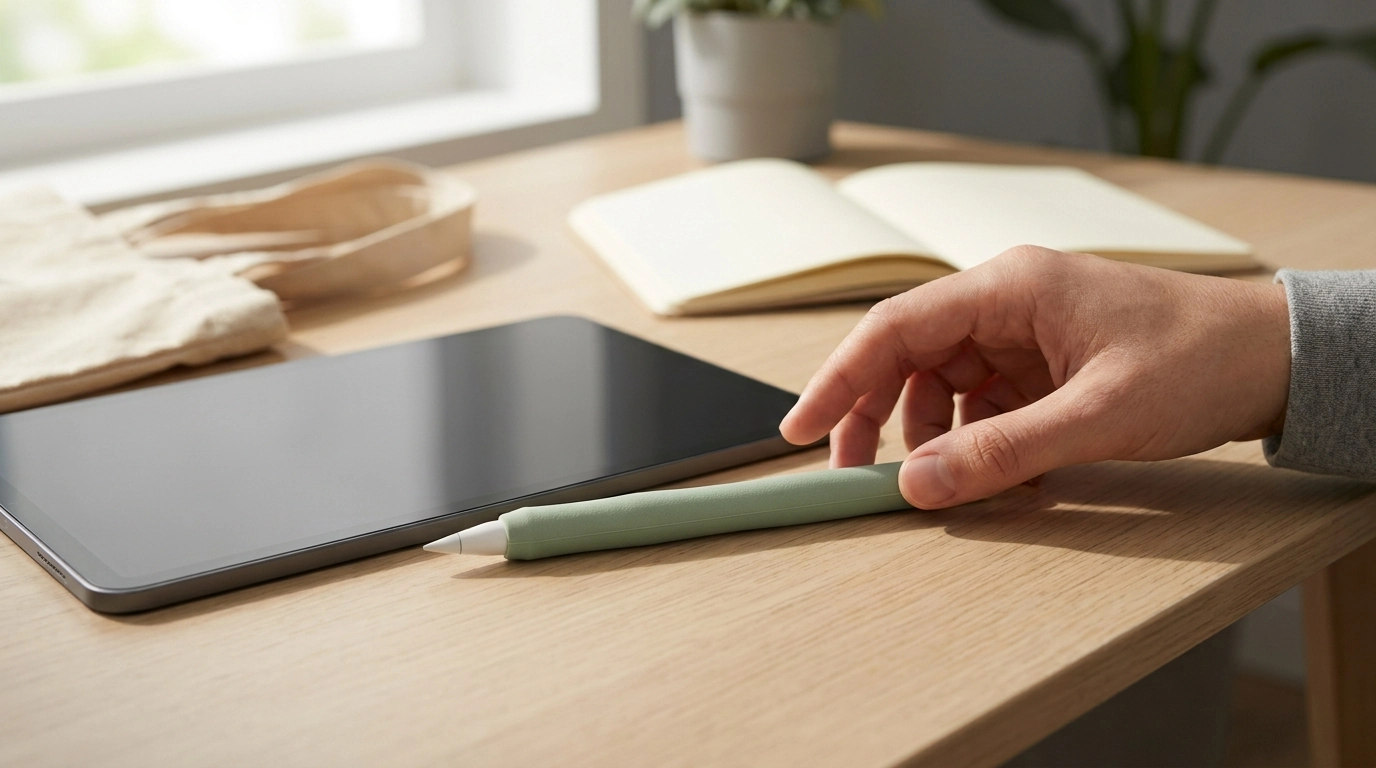
Stylus Cover for Apple Pencil 1/2: Grip, Protection, and Everyday Comfort
A slim cover can make an Apple Pencil feel steadier in hand, help prevent slips, and reduce scuffs from daily use—without changing how it writes. A good sleeve is less about “adding a case” and more about improving the everyday touchpoints: comfort during long sessions, control when your hands are dry (or sweaty), and a little extra buffer when your stylus rides around in a backpack or tote. Below is a practical breakdown of what a stylus cover does best, what to double-check for fit, and which small add-ons can keep tips and gear organized.
What a stylus cover actually improves
Apple Pencil is intentionally sleek, which looks great but can feel slippery and a bit thin during long stretches of note-taking or drawing. A well-fitted cover addresses that without interfering with the tip’s performance.
- Comfort for long sessions: A softer, slightly thicker surface can reduce hand fatigue during extended writing, sketching, or markup.
- Better grip and less rolling: Added friction helps prevent the stylus from sliding in your fingers or rolling off desks.
- Everyday protection: A cover acts as a light buffer against scratches, scuffs, and minor bumps during daily carrying.
- Easy identification: A colored or textured sleeve makes your stylus easier to spot and pick up in shared spaces like classrooms and offices.
Compatibility: Apple Pencil 1 vs Apple Pencil 2
Before choosing any sleeve, confirm which Apple Pencil generation you have. The charging method and shape differ, and covers that fit one generation may block key functions on the other. If you’re unsure, compare Apple’s official specs for Apple Pencil (1st generation) and Apple Pencil (2nd generation).
- Confirm the generation: Apple Pencil (1st gen) and (2nd gen) differ in charging method and overall design.
- Watch the thickness (especially Pencil 2): A cover that’s too thick can interfere with magnetic attachment and charging on compatible iPads.
- Keep key areas accessible: Tip clearance and charging/pairing zones should remain unobstructed.
- Be cautious with end caps: If a cover includes a cap or sleeve near the charging end, confirm it won’t block charging or pairing behaviors.
Quick fit and use checklist
| Check | Why it matters |
|---|---|
| Generation match (1st vs 2nd) | Ensures correct shape and doesn’t block charging/pairing |
| Thickness around the flat side (Pencil 2) | Helps keep magnetic attachment and charging reliable |
| Tip clearance | Prevents drag or wobble while writing/drawing |
| Removal and cleaning | Makes it easier to keep the cover comfortable and hygienic |
Comfort and control features to look for
Not all stylus covers feel the same in daily use. The best option is usually the one that disappears in your grip—comfortable, secure, and not distracting.
- Material feel: Silicone-style covers tend to provide a soft, grippy surface plus mild shock absorption for everyday bumps.
- Surface texture: A lightly textured finish can improve control for sweaty hands without feeling abrasive during long study sessions.
- Thickness and balance: A small increase in diameter can reduce grip strain. Too much bulk, though, can change the Pencil’s balance and feel less precise.
- Edge quality: Smooth seams matter more than most people expect—rough edges can irritate fingers when you hold the Pencil in the same place for hours.
- Anti-roll design: Subtle facets or a flatter side can help keep your stylus from drifting off angled desks or tablet covers.
Installation, cleaning, and day-to-day upkeep
A snug sleeve feels better, lasts longer, and is less likely to slide. Installation and cleaning are simple, but doing them carefully prevents stretching and keeps the grip consistent.
- Install slowly: Align the cover from the tip end and roll it down evenly to avoid stretching one side more than the other.
- Keep dust out: Wipe the stylus and the inside of the cover before installing for a tighter fit and a cleaner feel.
- Routine cleaning: Remove and wash with mild soap and water, then let it fully dry before re-installing.
- Avoid harsh chemicals: Strong solvents can degrade soft materials and may create a sticky texture over time.
- Check fit periodically: If the cover starts sliding, remove it, clean both surfaces, and re-seat it.
When a cover is most useful (and when it may get in the way)
A stylus cover is a small upgrade, but it’s not automatically the right choice for every workflow. The key is matching the sleeve style to how you actually store and charge your Apple Pencil.
Recommended add-ons for a cleaner setup
| Item | Best for |
|---|---|
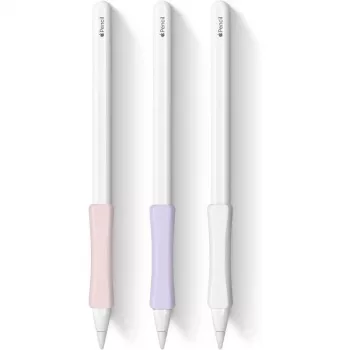
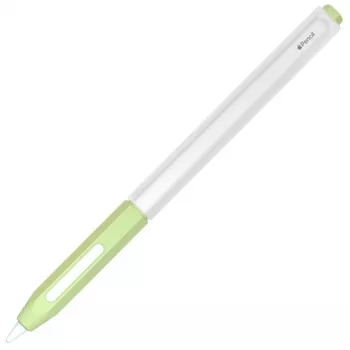
| Stylus Cover for Apple Pencil 1/2 | Everyday grip and scratch protection |
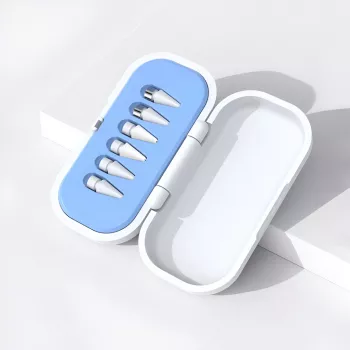
| Compact Storage Box for Apple Pencil Tips | Organizing spare tips and small parts |
Product spotlight: Stylus Cover for Apple Pencil 1/2
If the goal is a simple upgrade that feels better in hand and helps prevent everyday scuffs, Stylus Cover for Apple Pencil 1/2 is a practical choice. It’s designed to add grip and comfort without turning your stylus into a bulky accessory, making it especially useful for shared households, classrooms, or workspaces where small gear gets mixed up.
FAQ
Will a cover stop Apple Pencil 2 from charging on the side of the iPad?
It depends on the cover thickness and how it’s shaped around the flat side. A slim cover is less likely to interfere, while thicker sleeves may weaken magnetic attachment or prevent charging.
Do stylus covers affect drawing or handwriting accuracy?
A well-fitted cover shouldn’t affect the tip behavior, but extra thickness can change the feel of balance and grip. For precision work, choose a snug, low-bulk option that keeps the tip area fully clear.
How often should a silicone-style cover be cleaned?
Clean it whenever it feels slippery, looks dirty, or after heavy daily use. Mild soap and water is typically enough—just let it fully dry before reinstalling to prevent slipping.







Leave a comment