Apple Watch 40–49mm Full-Coverage Anti-Scratch Protector
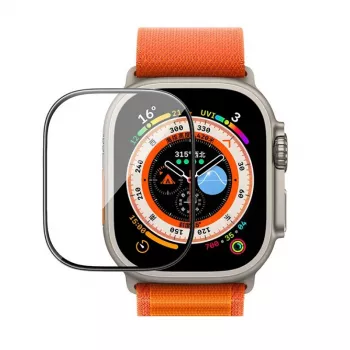
Full Coverage Anti‑Scratch Screen Protector for Apple Watch 40–49mm
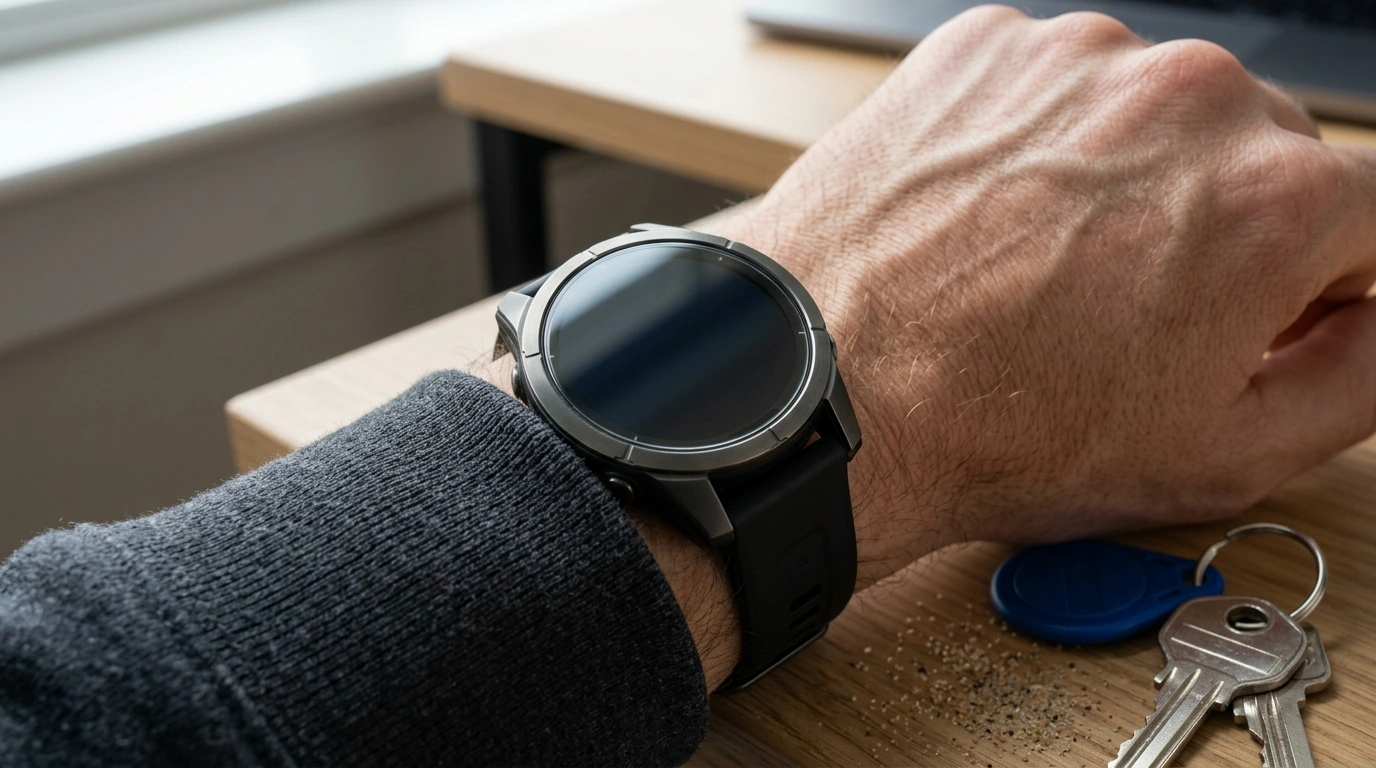
Daily wear puts an Apple Watch display in the path of keys, desk edges, gym equipment, and sand. A full-coverage, anti-scratch protector helps preserve clarity and touch response while adding a practical buffer against scuffs and micro-scratches—especially on larger 40–49mm cases where the screen edge is more exposed.
If you want your watch to keep looking crisp (and stay easier to resell later), a low-cost protector is one of the simplest upgrades you can make—without changing the feel of your favorite watch face or complications.
What “full coverage” means on an Apple Watch
“Full coverage” is about more than just protecting the center of the display. Apple Watch glass sits close to the edges, where accidental contact usually starts.
- Covers the active display area and extends protection toward the curved/edge regions where contact damage often starts.
- Helps reduce visible micro-scratches that build up from everyday friction (sleeves, dust, pockets, watch bands).
- Designed to maintain screen readability, colors, and touch accuracy when properly applied.
On bigger case sizes, edge protection matters even more because the watch face occupies more surface area and tends to brush against door frames, countertops, and gym equipment during movement.
Compatibility: choosing the correct size (40–49mm)
Before ordering, confirm your Apple Watch case size in millimeters. The right match helps the protector sit flush, keeps the border smooth, and reduces the odds of lifting around corners.
- Confirm the watch case size in millimeters (40, 41, 42, 44, 45, 46, or 49mm) before ordering.
- If switching bands or cases, the case size remains the key factor—not band type.
- A correct fit supports edge coverage and reduces lifting at corners.
Apple Watch case size guide (fit check)
| Where to check | What to look for | Why it matters |
|---|---|---|
| Back of the watch case | Case size printed (e.g., 45mm) | Ensures the protector matches the watch frame |
| Watch app on iPhone | Model and case size details | Helps confirm sizing when engraving is hard to read |
| Original box/receipt | Case size line item | Useful for gifts or secondhand devices |
Apple also provides an official guide for confirming your model details: Apple Support — Identify your Apple Watch.
Anti-scratch protection: what it can and can’t do
An anti-scratch screen protector is best understood as a daily-defense layer. It’s meant to take the small hits that add up over time.
- Helps prevent fine abrasions from everyday contact and reduces the chance of permanent scuff marks.
- Does not make the watch indestructible; sharp impacts can still damage the screen or bezel.
- A protector can take the damage first, making replacement simpler than repairing the watch glass.
If your watch regularly encounters gritty environments—beach days, construction sites, climbing gyms, or landscaping—anti-scratch coverage can make the difference between “looks new” and “permanently hazy” after a few months.
Comfort and usability: touch, clarity, and edge feel
Because the Apple Watch is designed for fast taps and quick glances, a protector should feel as close to “bare screen” as possible.
- A good full-coverage design aims to keep taps, swipes, and long-press actions responsive.
- Optical clarity matters for outdoor viewing and keeping complications readable.
- Edge coverage should feel smooth to the finger and avoid snagging on sleeves.
When installation is clean and aligned, most people notice the benefits (less worry, fewer marks) more than they notice the protector itself.
How to apply for a bubble-free finish
Installation is where most frustrations come from—usually due to dust, rushed alignment, or handling the adhesive side too much. A calm, well-lit setup makes a big difference.
- Clean thoroughly: wash hands, wipe the screen, and remove dust with a sticker/cleaning pad before placement.
- Align carefully: center the protector, then press from the middle outward to push air to the edges.
- Let it settle: minor haze or micro-bubbles can reduce over the next 24 hours depending on material and environment.
- Go easy at first: avoid moisture and heavy workouts immediately after application to reduce edge lifting during the first few hours.
If you’re applying in a dusty room, try running a hot shower for a minute beforehand (in a nearby bathroom) to reduce floating dust—then apply away from direct steam and moisture.
Care tips to extend protector life
For Apple’s official cleaning guidance (helpful for keeping the watch and band in good shape), see: Apple Support — Clean your Apple Watch.
Full Coverage Anti‑Scratch Screen Protector for Apple Watch 40–49mm (product details)
Shop the protector here:
Full Coverage Anti‑Scratch Screen Protector for Apple Watch 40–49mm.
More in-stock essentials
- USB Type C to Lightning Fast Charging Cable for Apple iPhone 15/14/13/12 (handy for travel, desk, or backup charging).
- Floral Luminous Silicone Case for Apple AirPods Pro (adds grip and helps protect your case from daily scuffs).
- Compact Storage Box for Apple Pencil Tips (keeps spare tips organized so they don’t disappear in a drawer).
FAQ
Will a full-coverage screen protector affect touch sensitivity on Apple Watch?
A properly fitted protector is designed to preserve normal taps and swipes. Most touch issues come from misalignment, trapped dust, or an edge that has lifted and is no longer sitting flat.
How do bubble spots happen after installation, and how can they be fixed?
Air bubbles usually come from not pressing outward from the center, while “bubble dots” are often dust trapped underneath. Re-cleaning the screen, reapplying with careful alignment, and pushing bubbles to the edge can help; slight haze may settle within 24 hours.
Is it safe to wear the watch during workouts or in the rain with a screen protector?
Normal splashes and everyday sweat are typically fine once the protector has set. After heavy workouts or rain, dry the edges to reduce the chance of lifting and keep the seal clean.







Leave a comment